
Loop Team · 2018–2020
From AI meeting notes to remote presence
I was employee #5 and the founding designer, also acting as PM. We set out to build AI meeting notes. When users cared more about seeing who was meeting than about the notes, I helped turn the product into a desktop app for remote presence. It later became Pulse, which Mozilla acquired in 2022.
The challenges of remote work
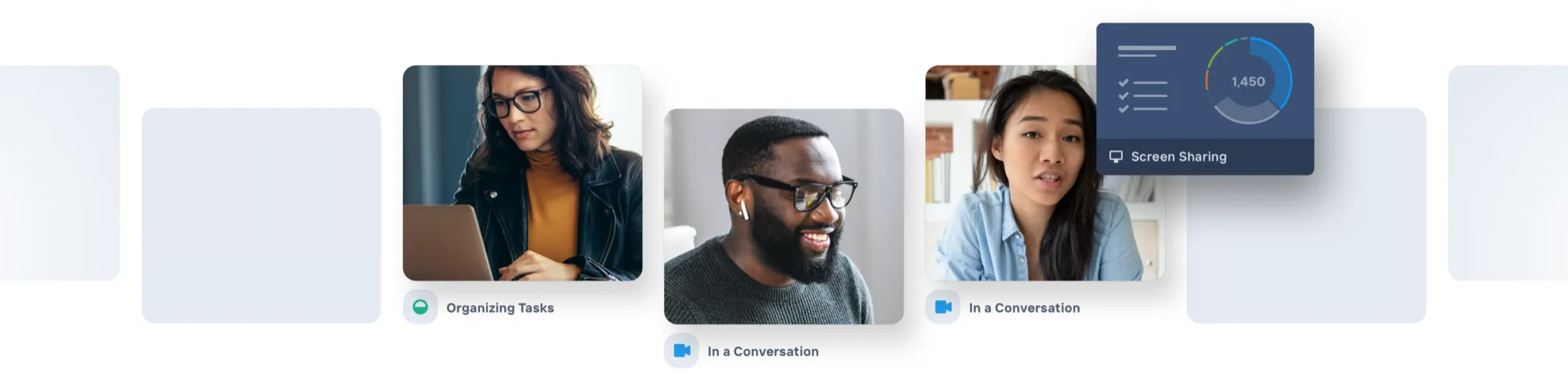
Remote work was growing before the pandemic, but almost nothing was built for how it actually felt. Working remotely, you couldn’t see people come and go, who was talking to whom, or which meetings were happening. You missed the hallway conversations, and you heard about decisions after they were made, without the context.
Loop Team was my attempt to fix that: a product that made distributed teams feel connected to what’s happening right now, and what happened earlier.
Where we started
Loop Team didn’t start as a remote-work product. The original goal was automatic meeting notes for internal, recurring meetings. We took inspiration from Slack and Discord and introduced a channel-like concept called Rooms, which were 1-click to join and housed your meeting notes.
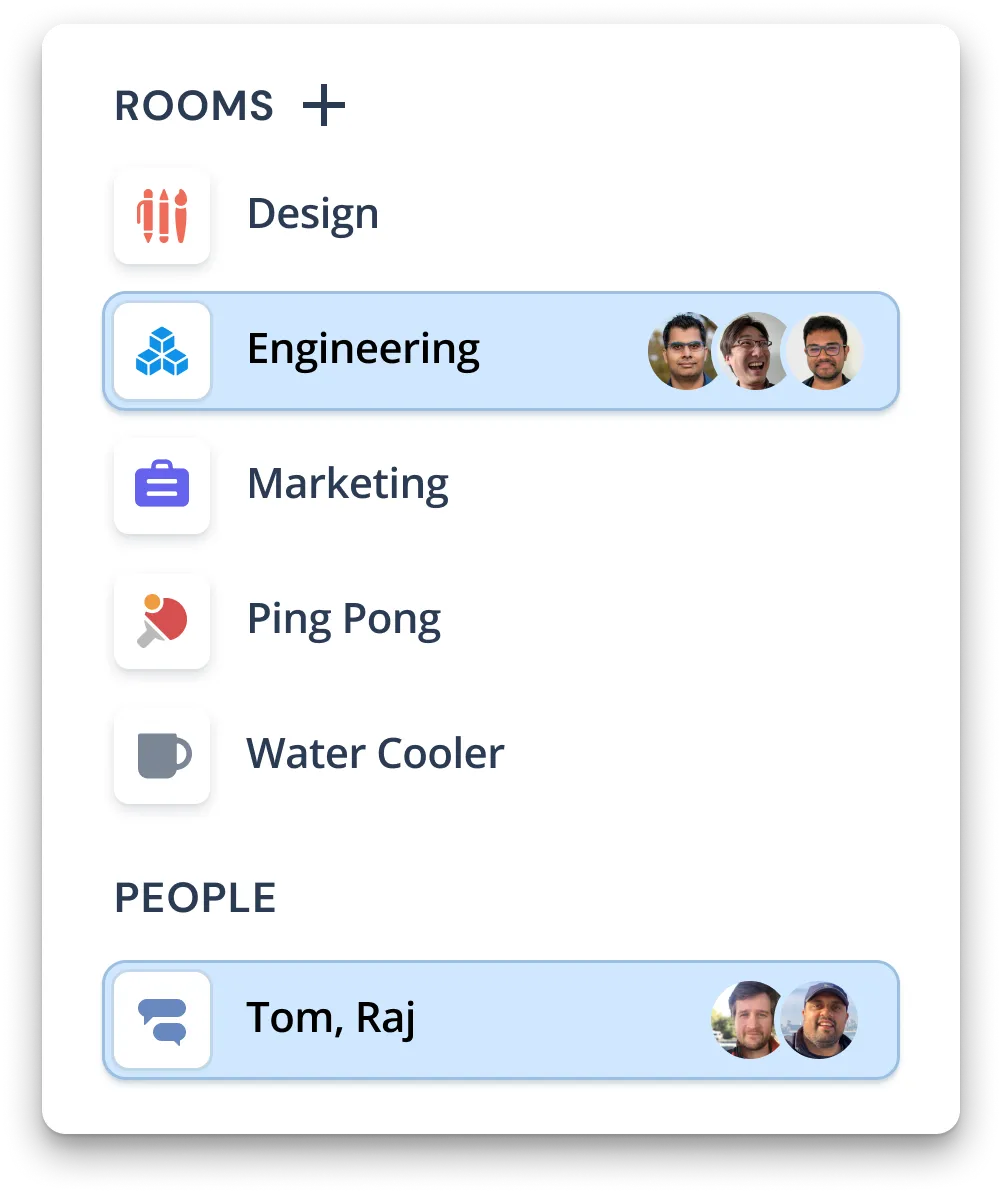
We quickly found that our AI meeting notes were not being adopted by users. The bar for AI notes accuracy is very high, and most would not abandon their existing notetaking methods if ours were not 100% reliable. But the remote workers in our alpha group loved seeing who was meeting in which room, and when. We kept the AI and pointed the same engine at real-time meeting signals, where partial accuracy still helped. The product became about enhancing presence in distributed teams.
Four versions
I pushed the product from web to desktop-first, against some internal resistance. These four versions show the shift from notes to presence.
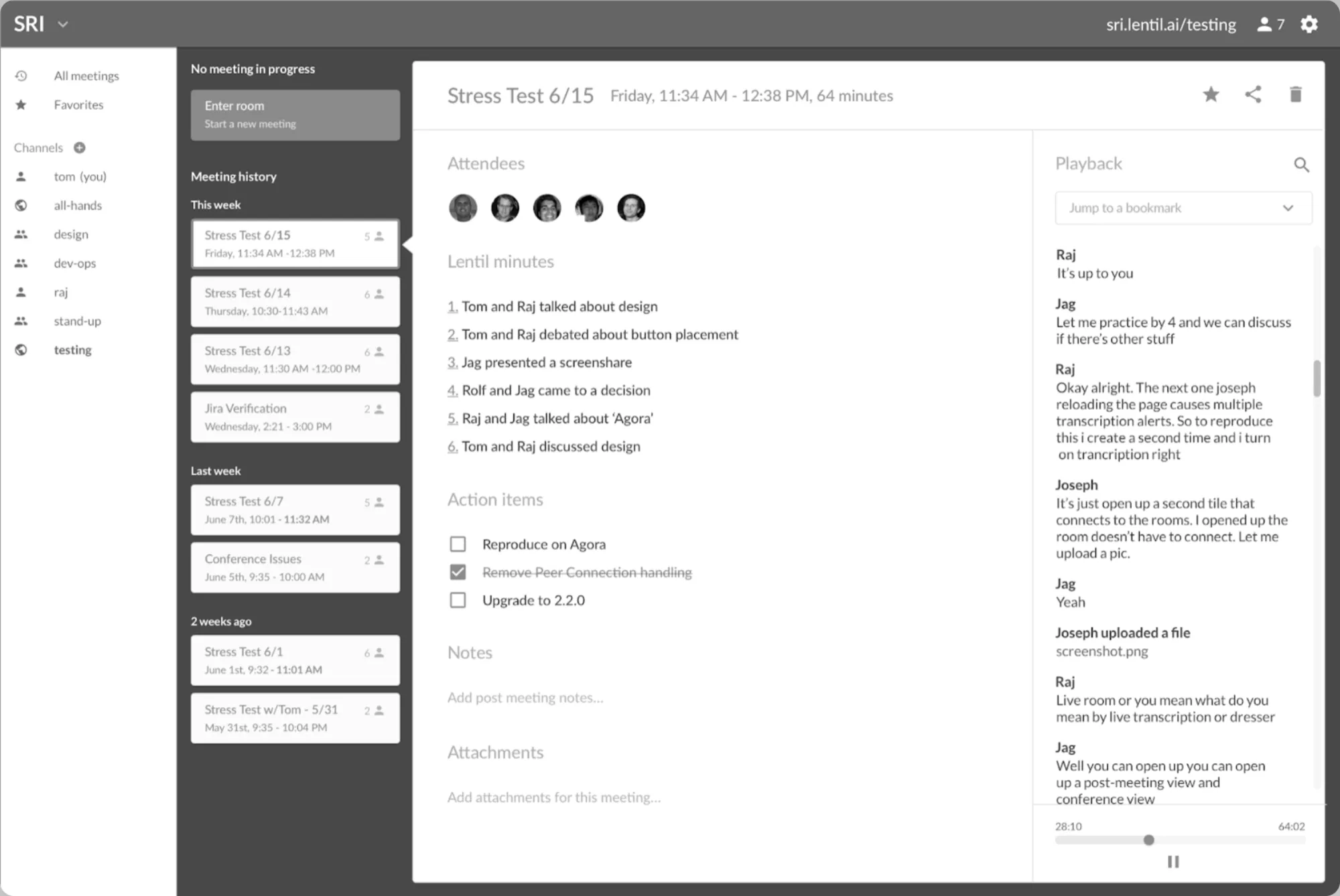
Channels categorize meetings. High-level minutes map to the recorded audio, with a transcript in the fourth column. The notes and transcript weren’t good enough to carry this UI.
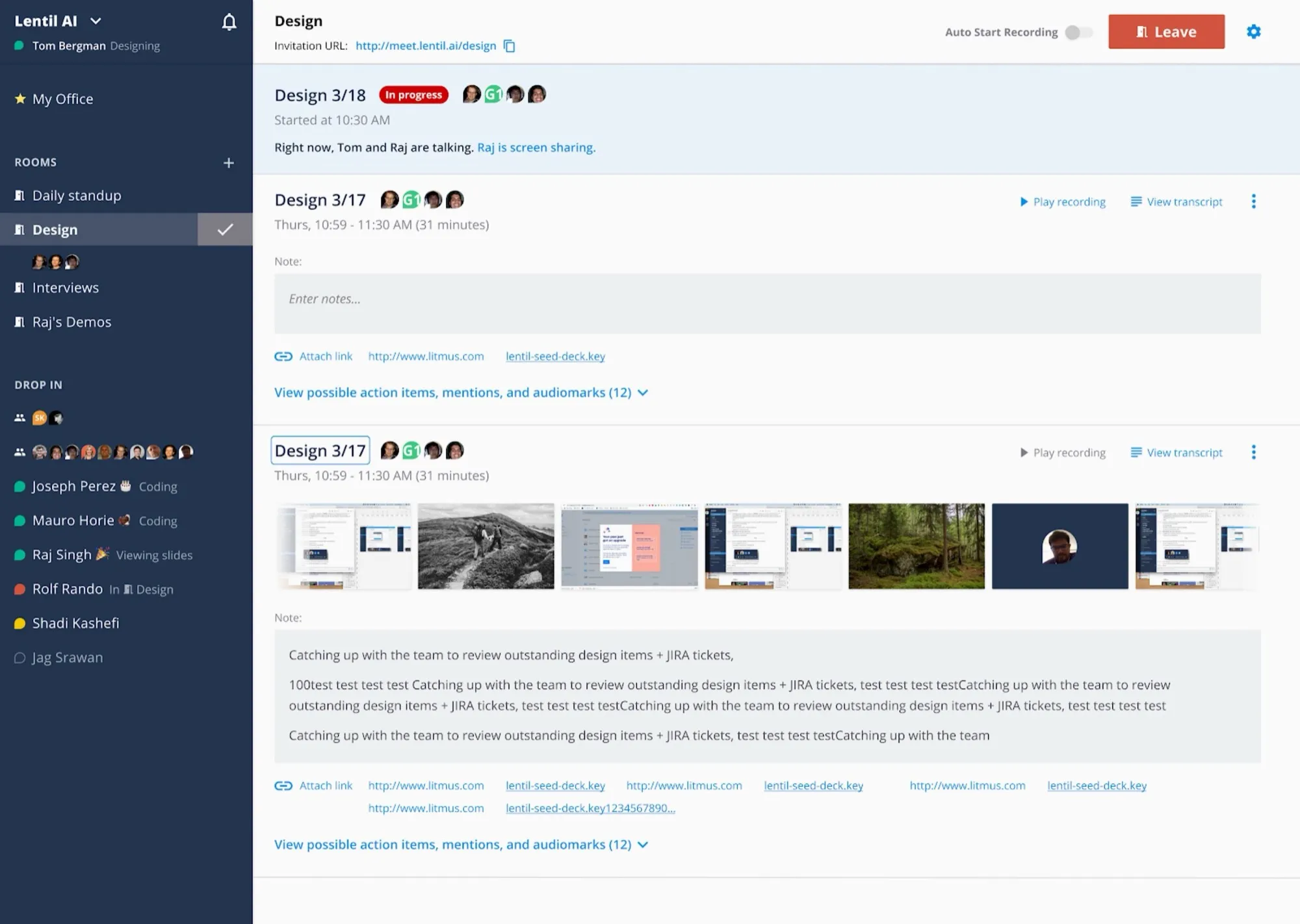
Status starts taking over. The app was at a crossroads: people loved the sidebar, while the notes side was still struggling and too complex.
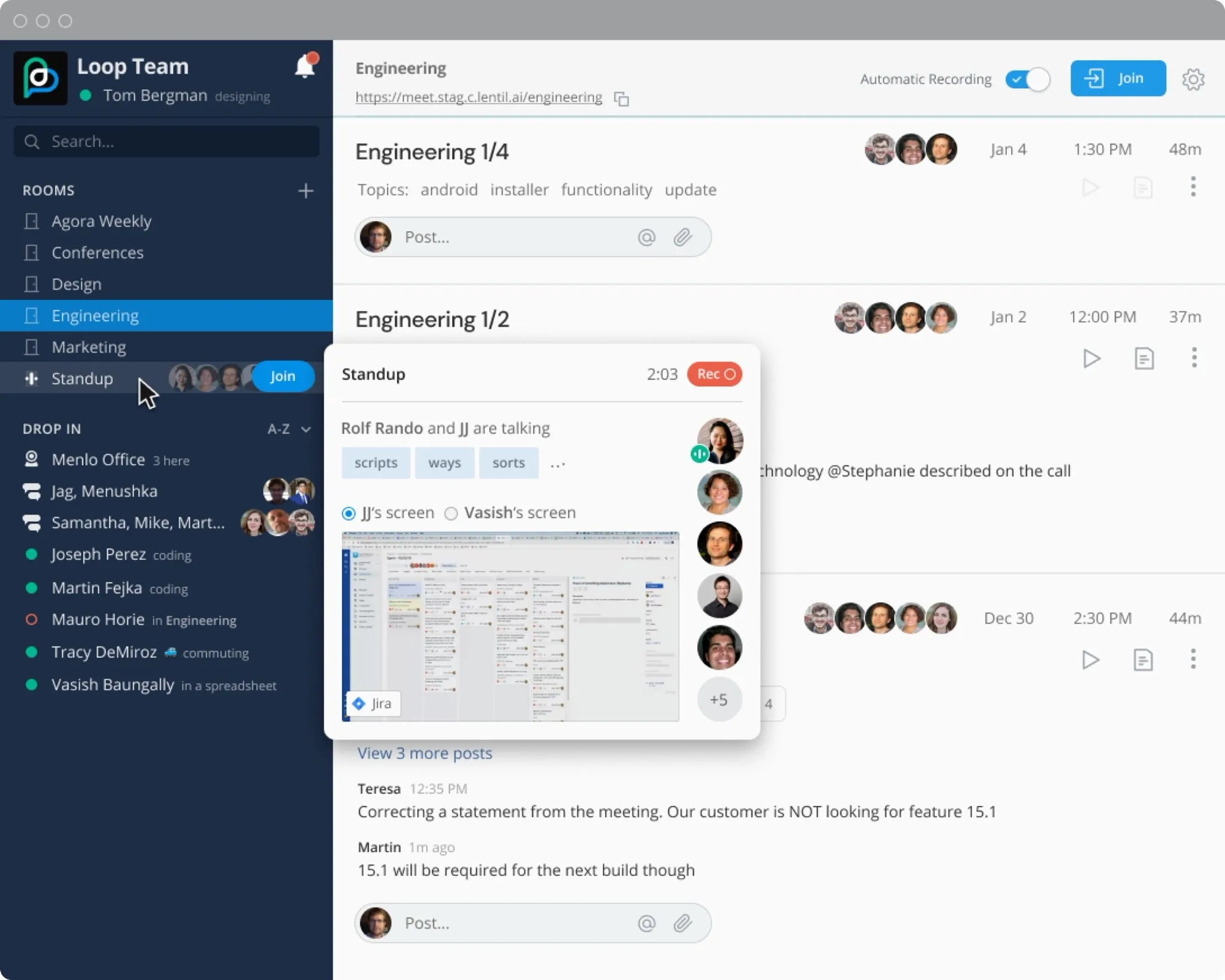
Content that only lived in the notes column moves into the sidebar. Notes and transcript fall down the priority list.
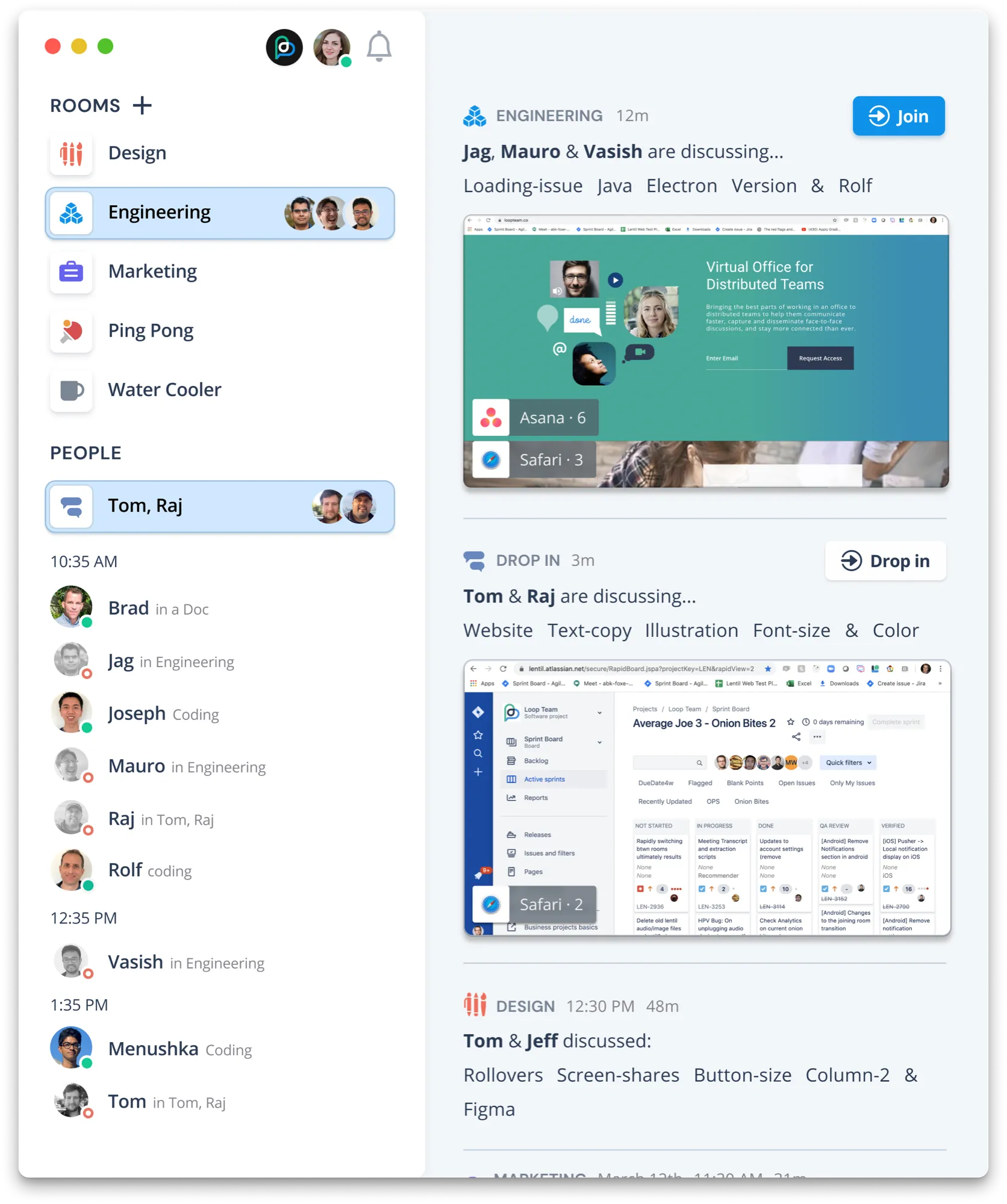
The left column gets brighter and more prominent, since it’s now the point. The right column is a high-level summary of every meeting in the org, and transcripts are mostly gone.
Our core value props
Real-time awareness
In an office you notice people heading into a meeting, and that tells you something about what they’re discussing. If they’re talking openly, you might join. We wanted that online: conversations you can see as they happen. Here you can see Jag, Mauro and Vasish in the Engineering room, with keywords and a screenshot from their screen-share. You can also see my 1:1 with Raj. It works like an office and still respects privacy.
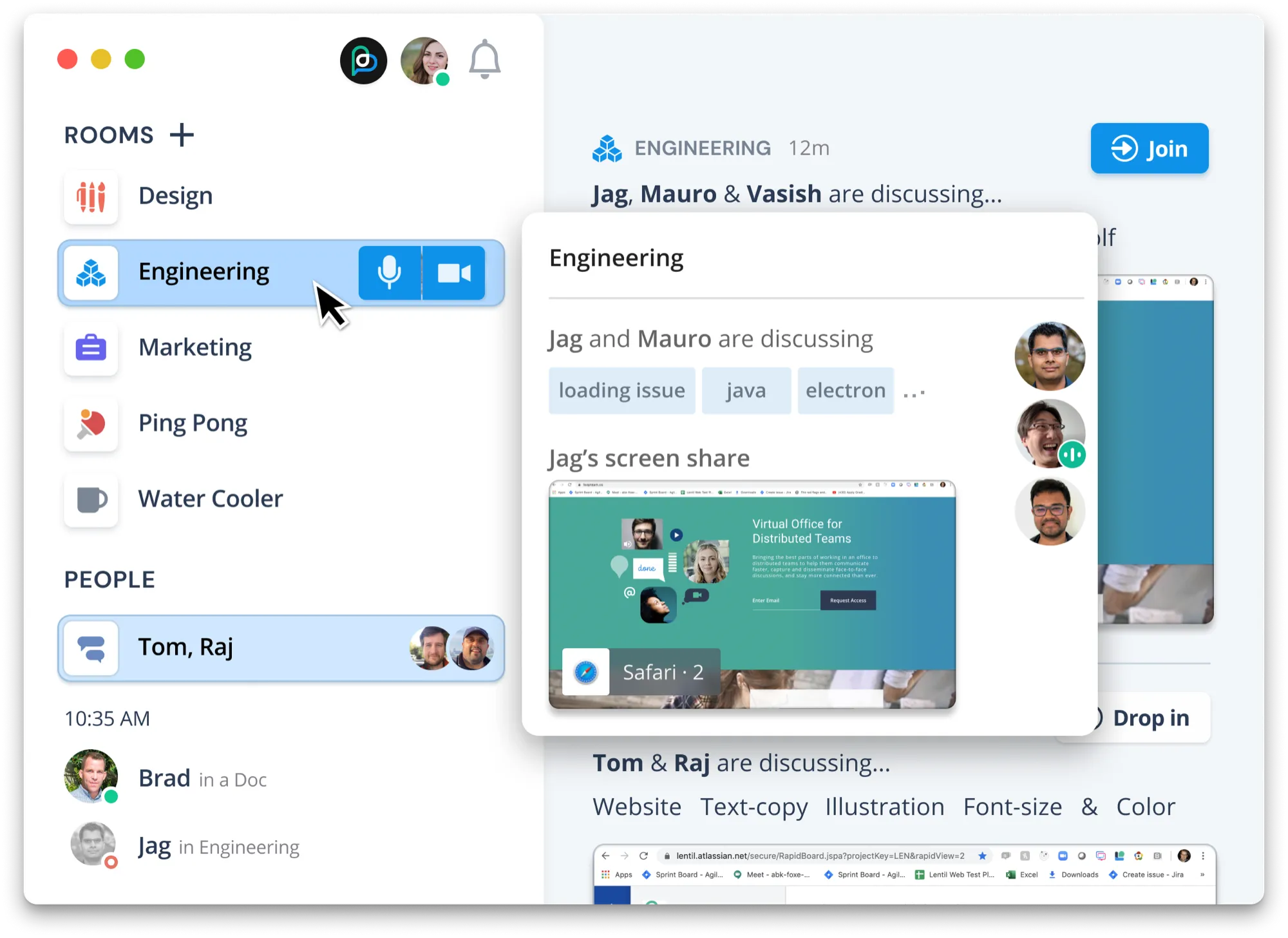
Real-time context
In an office you can tell who’s heads-down and focused, and that tells you whether it’s a good time or not to interrupt.
We called our version of this “activity presence.” It showed not just that someone was busy, but what kind of busy. We kept it high level, with no app names, and used the statuses people already knew from popular productivity tools. We didn’t want to be a monitoring tool.
Spend long enough in one app and you’d show as “focused.” You could also see someone’s local time, so you’d know if they were near the end of their day.
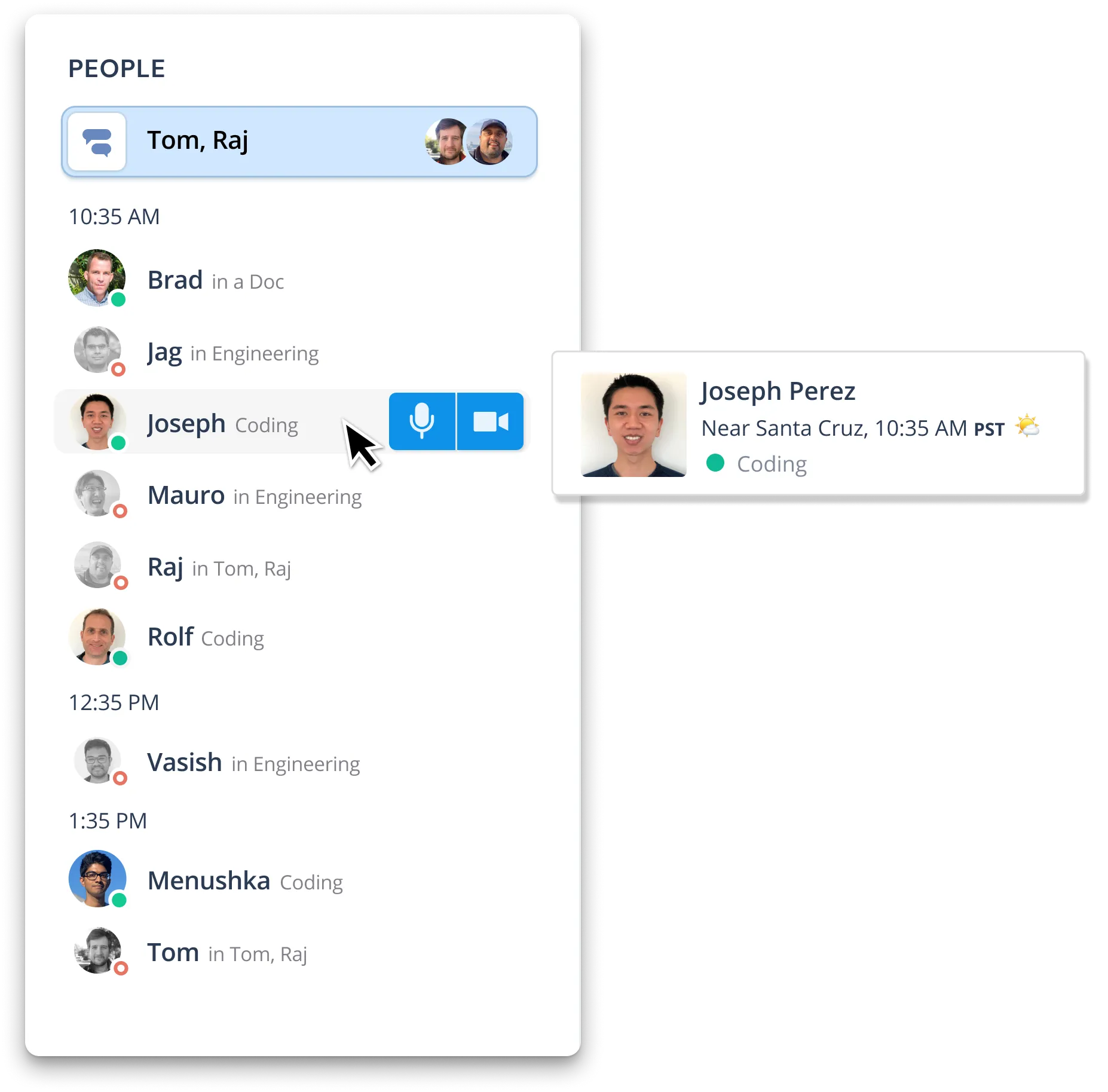
Real-time people access
In an office, starting a conversation is instant. Nobody sends an invite. So we prioritized speed, with a goal of connecting in one to two seconds, and keyboard shortcuts so power users never touch the mouse. The call experience itself stayed familiar, but I designed a minimal window that stays on top of other apps, so you can keep talking while you work.



Try the Loop Team prototype (opens in Figma).
Growth and acquisition
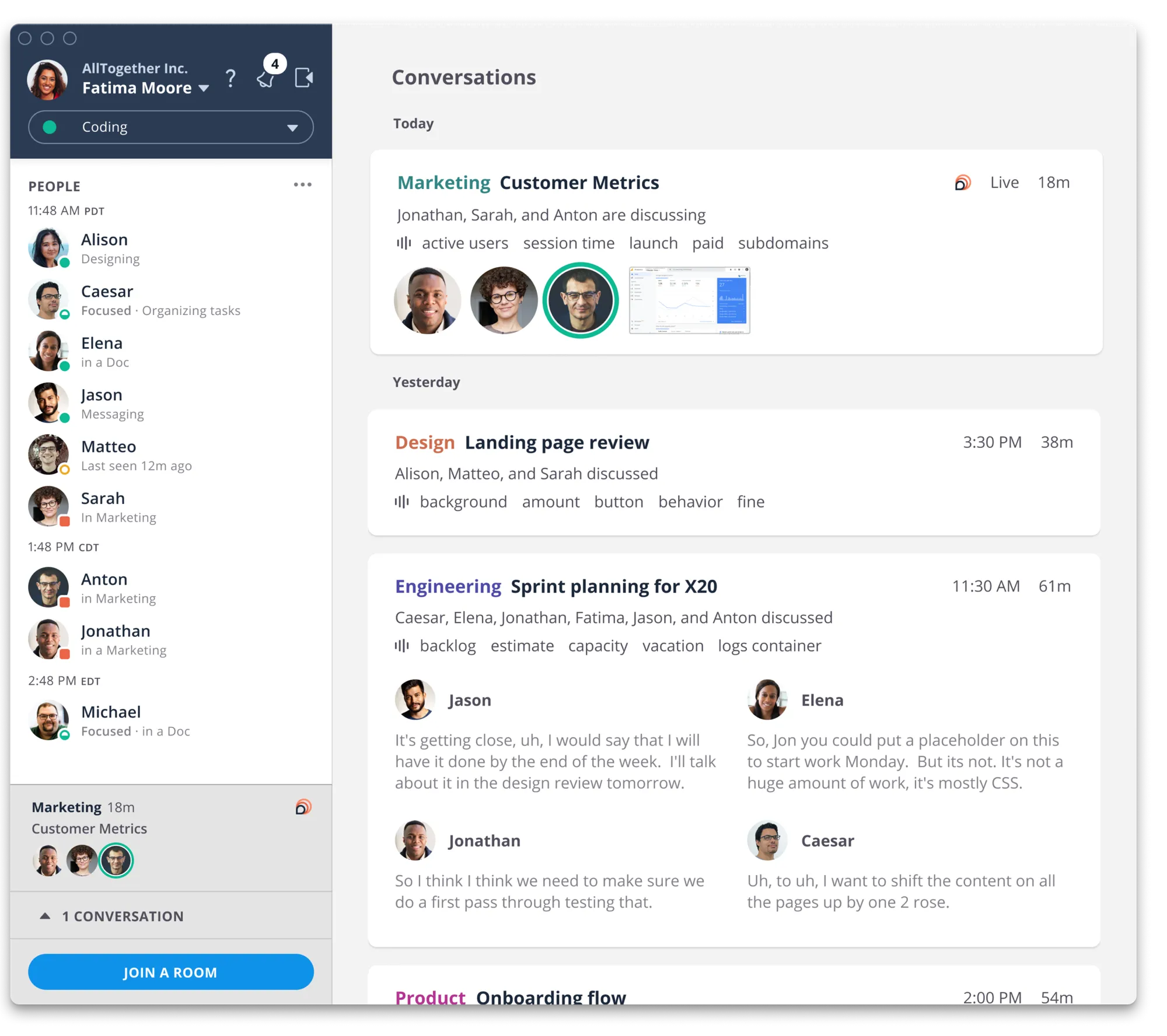
I was laid off during the pandemic and missed the public beta. The design work carried through, though. The biggest change from my last version was dropping the transcript and the AI features that never met our accuracy bar.
After I left, the product was rebranded as Pulse and built around sharing presence. It updated your status in Slack, Teams and Discord. Pulse did well, and Mozilla acquired it in 2022.