
RoundGlass · 2020–2021
A wellbeing app built around video
Design lead on a new wellbeing app spanning meditation, nutrition and fitness, shipped to market. I designed onboarding and the home screen. After I became lead, I rebuilt the home screen’s layout and navigation. Registration completion rose from about 40% to about 60%.
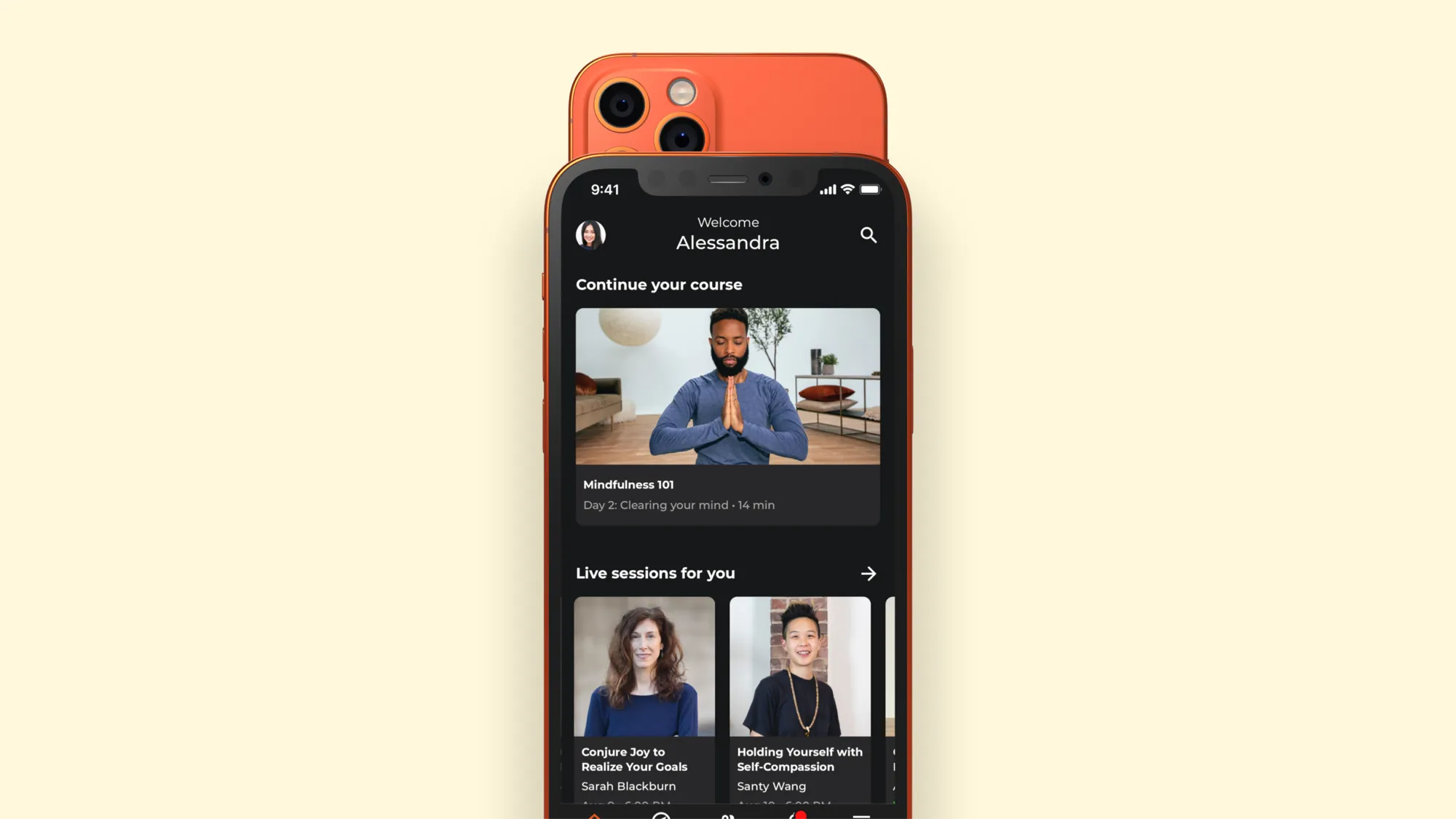
A mindfulness app for a challenging time
RoundGlass started during the pandemic, when more people than ever were trying mindfulness apps. Most of those apps were audio only. For something as personal as meditation, that’s a real gap. Without a face or a posture to look at, it’s harder to feel connected to an instructor, and harder to copy their form. People were also feeling starved for social interaction due to the ever present lockdown.
My project was a new wellbeing app, starting with meditation, built around studio-quality video and the connection between people and their instructors.
Research
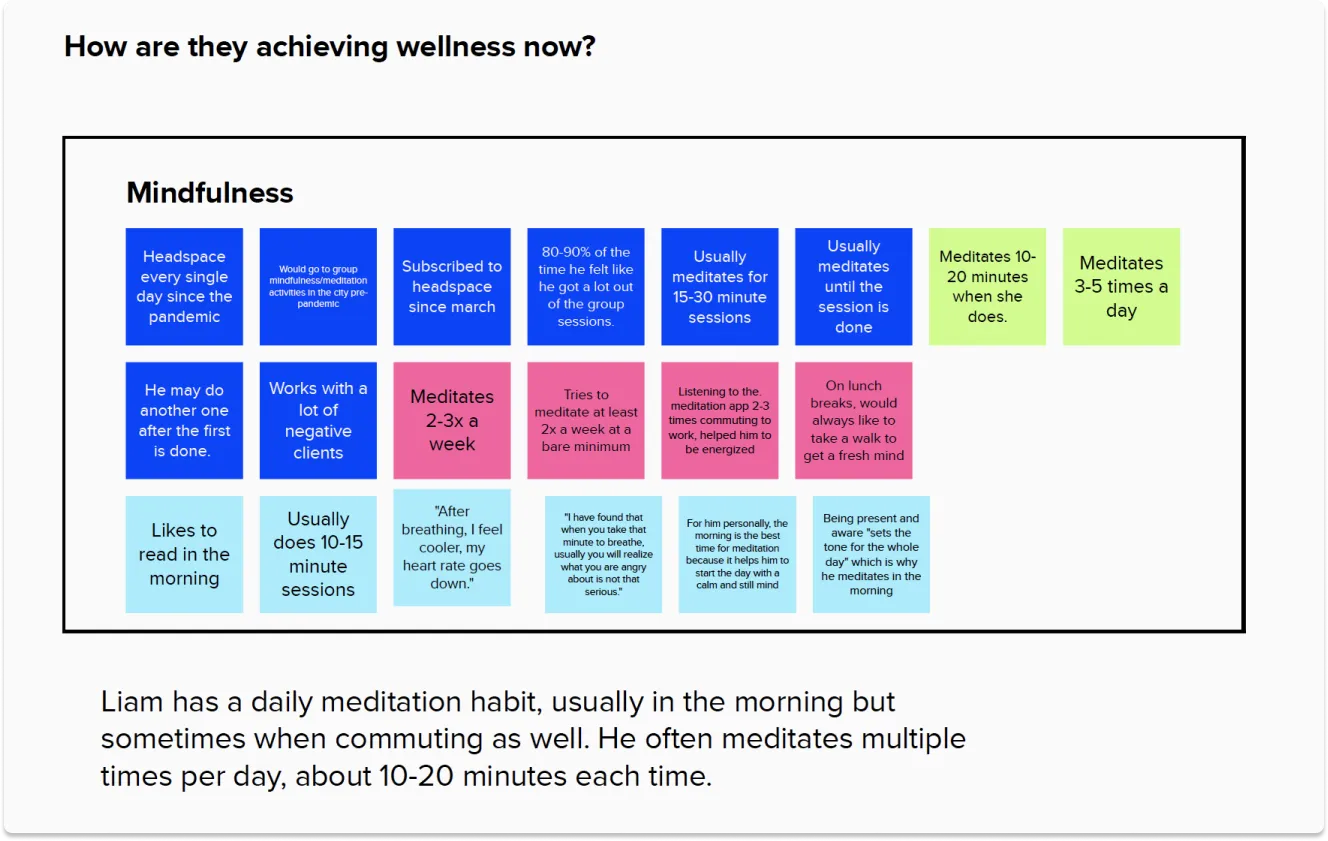
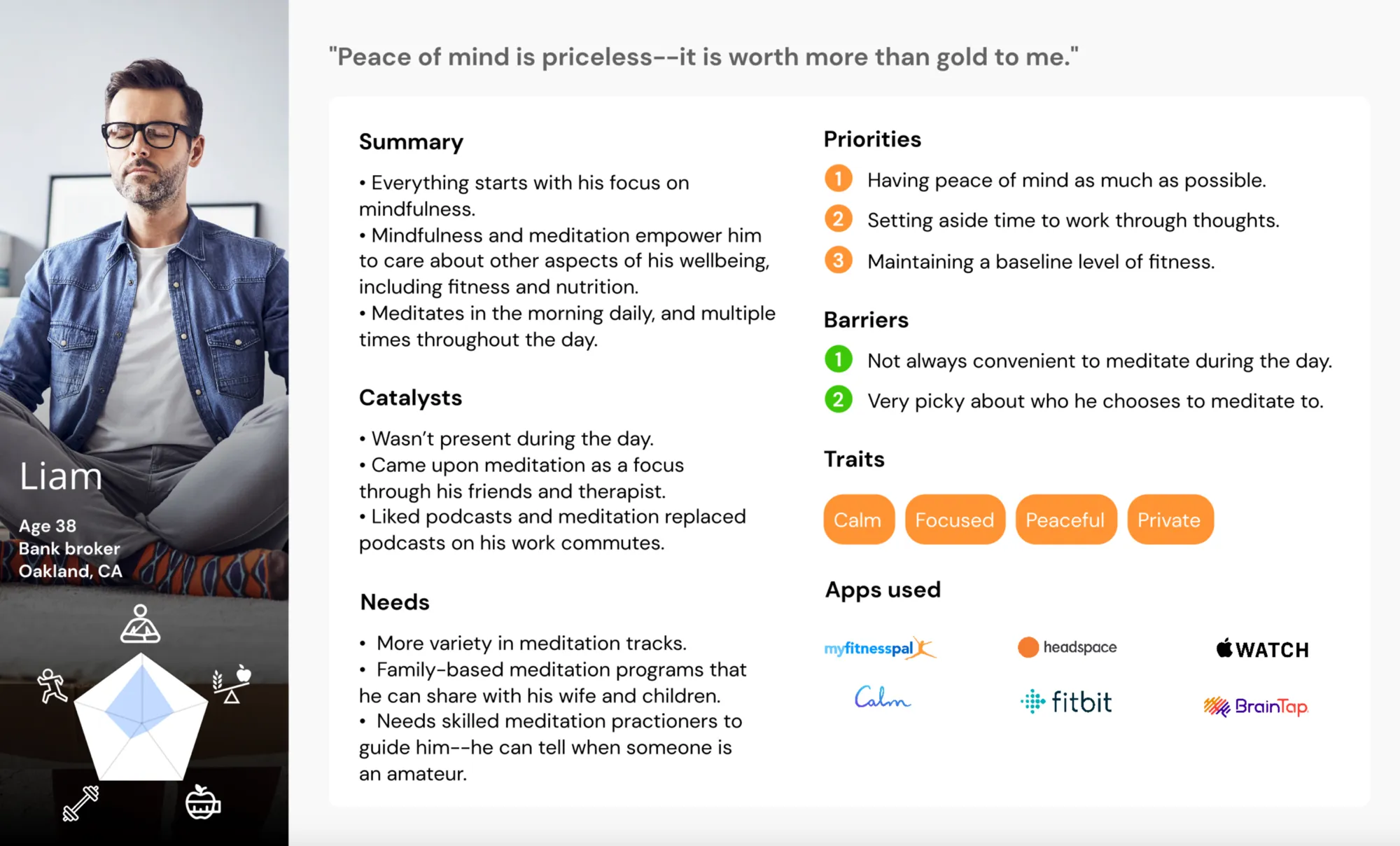
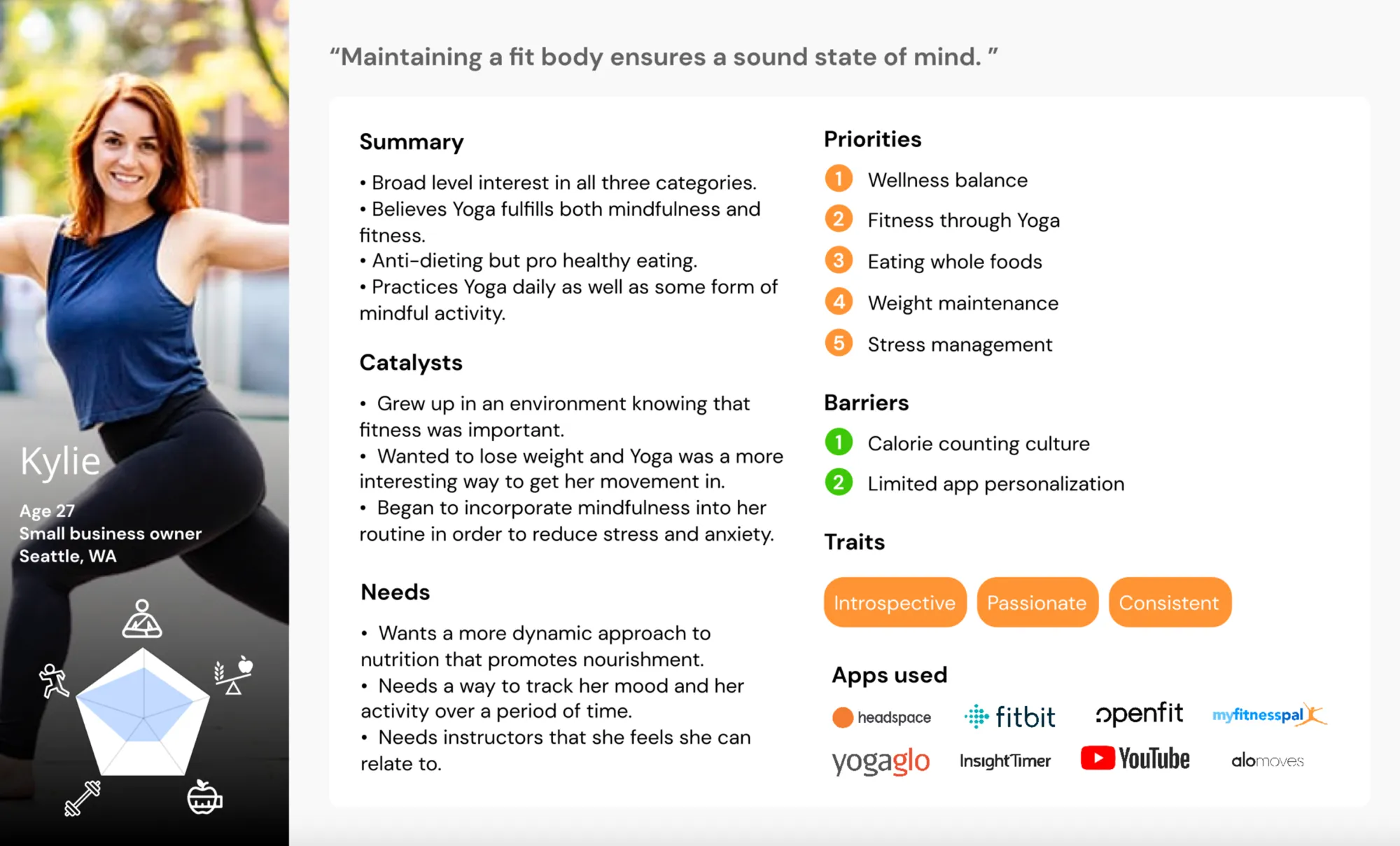
I started by interviewing our target audience and building personas. People preferred apps with instructors they could relate to. Some picked an app purely because of one instructor.
We also talked to fitness and nutrition enthusiasts, since we planned to expand into new verticals. Video turned out to be essential for bonding with an instructor. Some people preferred YouTube over Headspace for meditation because there was a specific instructor they followed. People came to these apps for specific reasons and problems to solve, like stress and anxiety.
The MVP journey
The MVP journey was simple. During onboarding we asked what mattered most to you and recommended content to match. From there we tracked which teachers and topics you liked and kept recommending.
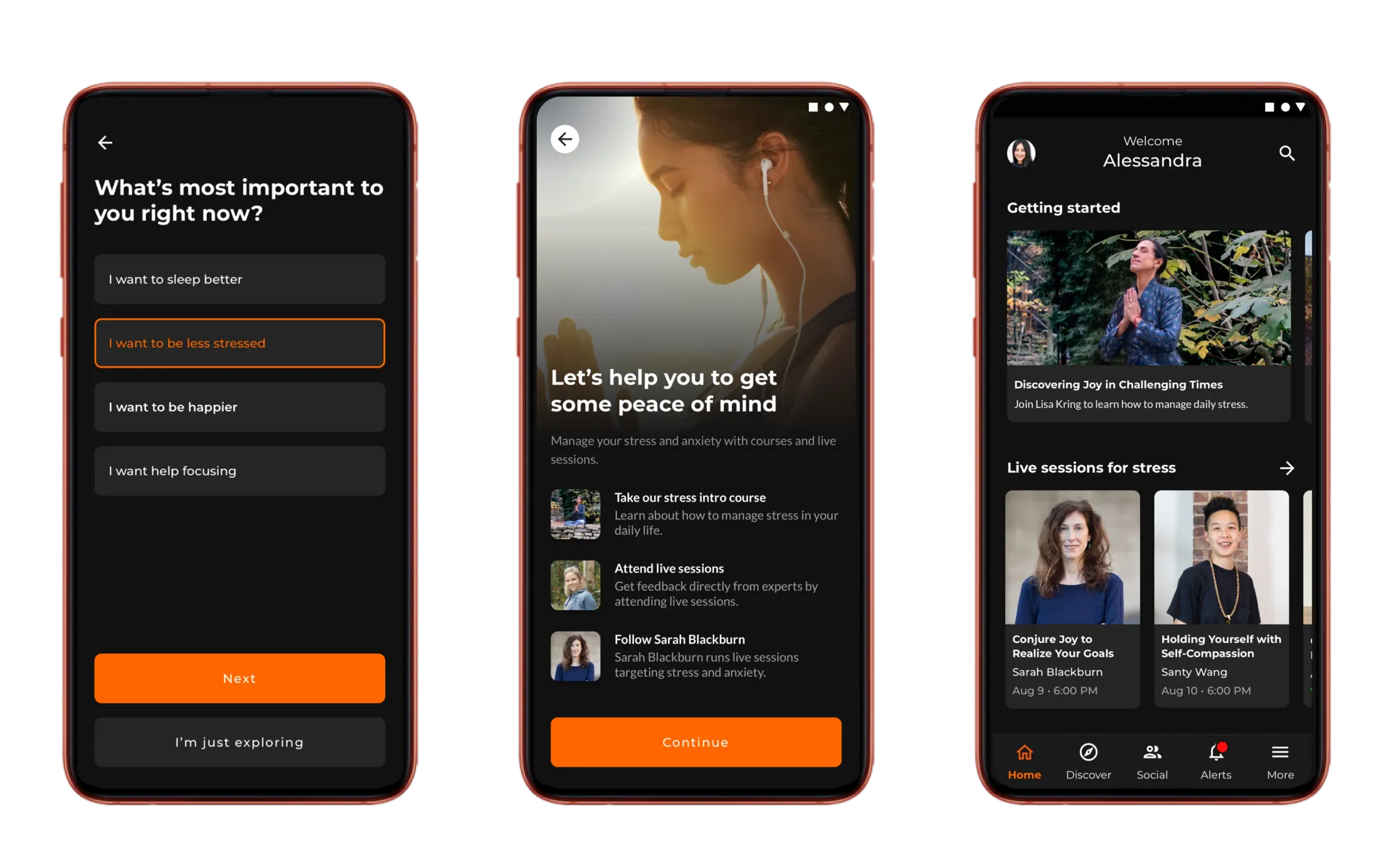
Cleaning up the home screen
We launched in spring 2021 to flat numbers: only about 40% of people who started registration completed the flow. When we interviewed users, four things kept coming up. They didn’t know what to focus on. The app felt hard to use. They wanted content served to them, not to go hunting for it. The app felt chaotic. I was now the lead designer of the app, so fixing these issues was my top priority.
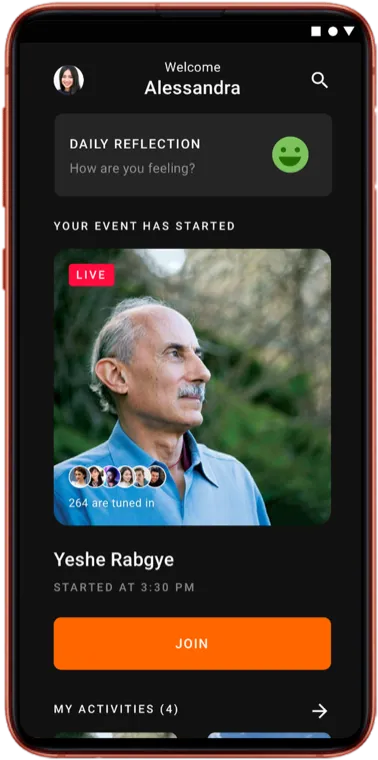
Only one piece of content fit above the fold
Some content required buttons to be pressed while others didn’t.
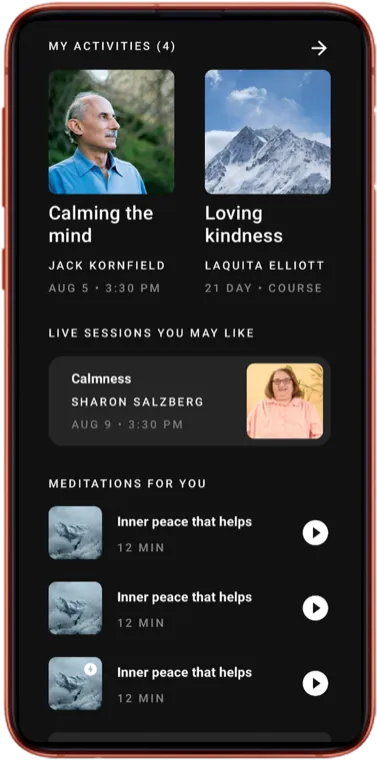
Some sections swiped or were expanded through disclosure arrows.
Margins, padding and type sizes were too big, so content often didn’t fit
All caps was everywhere, and it’s harder to read
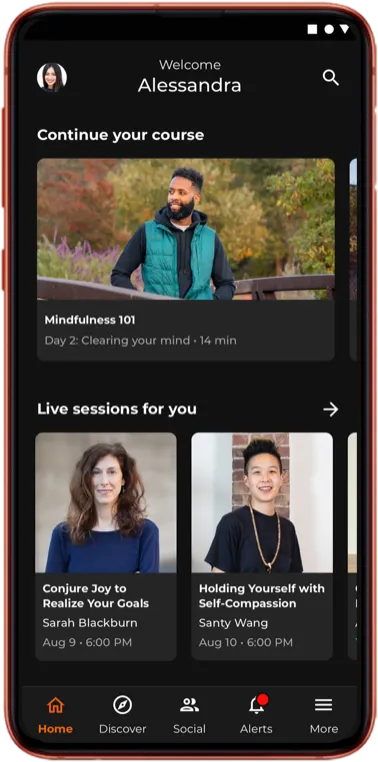
- One way to browse. Every section is a row you swipe.
- Room for content. Tighter margins and type, so more fits.
- Fewer all caps. Sentence case, easier to read.
- More above the fold. A course to pick up and live sessions to join, before you scroll.
Results
After the rebuild, registration completion rose from about 40% at launch to about 60% in the weeks that followed, peaking above 70%. Our data pipeline was basic, so I treat this as directional, but the lift held for the two months we tracked.
What carried forward: pick one pattern and use it everywhere, so people learn it once. It’s the same instinct behind the mobile design system I later built at Calendly.